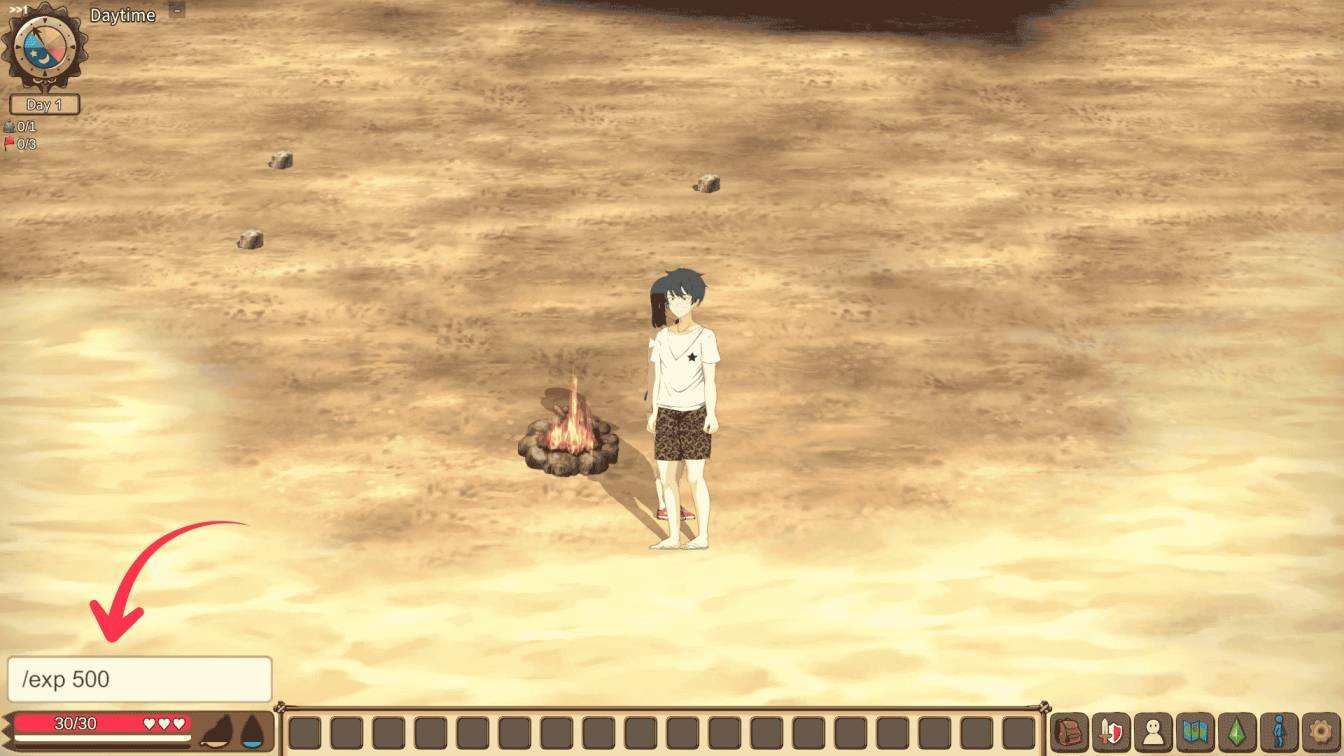

The Lantern of the Laughless Saint features an in-game Nerve Console that opens a world of possibilities for adjusting player stats, spawning items, teleporting, and controlling NPCs. For players diving into its vast systems, mastering this console quickly becomes essential to customize gameplay and bypass tricky segments.
Accessing the console is as simple as pressing the Backtick (`) key, usually found just below the ESC key on most US and UK keyboards. This opens the Nerve Console interface, where you input commands directly.
Commands typed into the console by default affect your own character. However, some require you to first click an NPC or object while the console remains open to target it. You can also use the player-> prefix to explicitly specify yourself as the command target.
The console also lets you modify individual skills and progression metrics. For those who want to develop their character organically, detailed builds and skill guides are available elsewhere.
Below is a comprehensive breakdown of the console commands and cheat codes currently available in The Lantern of the Laughless Saint, separated by their types so you can quickly find functioning item IDs and commands.
Note that the game is still in Early Access, so command functions and item IDs may change as development progresses.
How to Open the Console?
Simply press the ` key to bring up the Nerve Console.
Once open, type the desired command and hit Enter to execute.
Most Useful Console Commands
help— Lists available commands in the Nerve Console.help COMMAND | CATEGORY— Provides detailed info on a specific command or group.clear— Clears all console output to declutter the screen.history— Shows a log of recently used commands.
The Lantern of the Laughless Saint Player Console Commands
Commands that directly alter your player character's attributes and states.
| Command | Effect |
|---|---|
tgm | Activates God Mode so you cannot take damage. |
god | Alternative activation of God Mode. |
togglegodmode | Another alias for God Mode toggle. |
tcl | Turns collision off, allowing you to pass through walls. |
noclip | Alternative to tcl. |
heal | Fully restores your health, magic, and stamina. |
fillstats | Synonym for heal. |
sethealth <value> | Sets max and current health to the specified value. |
setmagic <value> | Adjusts maximum and current magic points. |
setstamina <value> | Modifies stamina stats accordingly. |
speed <multiplier> | Multiplies your movement speed; e.g. speed 5 is 5x normal speed. |
setspeed <multiplier> | Alias for speed. |
notarget | Prevents enemies from locking onto or attacking you. |
showstats | Displays stats of the selected entity. |
getstats | Another command for showstats. |
resurrect | Revives a dead entity, including your character. |
Keep in mind the speed command sets a multiplier, not an absolute speed value. Using speed 5 means you'll move five times faster than normal.
One current limitation of the tcl/noclip commands is that vertical movement on the Y axis functions abnormally, restricting you essentially to horizontal and depth movement only.
XP and Level Commands
addxp <value>— Grants you a specific amount of experience points.givexp <value>— Another way to add experience points.setlevel <value>— Changes your level and provides the skill/perk points earned up to that level.addskillpoints <value>— Adds skill points to your pool.addperkpoints <value>— Adds perk points available for allocation.
You can add as many as 2147483647 skill or perk points, effectively unlimited for all practical purposes.
Skill Commands
Adjust your skill levels using this format:
setskill <name> <level>
The skills you can modify are:
onehanded
twohanded
spears
unarmed
archery
blocking
armor
sorcery
channeling
psionics
acrobatics
sprinting
swimming
sneak
lockpicking
pickpocket
alchemy
fishing
For instance, use setskill onehanded 100 to max out your one-handed weapon skill at level 100.
You can assign skill values anywhere from 0 up to 2147483647. However, directly setting skills bypasses any XP usually required to reach that level.
You can set skill values from 0 to 2147483647.
Be aware that increasing skill levels with commands does not automatically grant you the XP normally earned by playing.
listskills— Displays all your skills, including trained and effective levels.
The trained skill level is your base stat, while the effective level factors in equipment bonuses and racial traits.
Perk Commands
grantperk <perk>— Instantly grants a perk without needing to fulfill requirements.hf_grantperk <perk>— Alternative for granting perks.removeperk <perk>— Removes a perk from your character.hf_removeperk <perk>— Another way to remove perks.listperks— Lists all perks and shows which you currently have.hf_listperks— Alternate listing command.
Perk names must be typed exactly as displayed, including spaces and punctuation.
Note that removing a perk using these commands does not refund the perk points originally spent to acquire it.
Item Console Commands
Commands to add, remove, or spawn game items in your or selected inventories.
additem <item> [amount]— Adds specified items to your inventory or a selected target.removeitem <item> [amount]— Removes items from inventories.gold <amount>— Adds or subtracts gold; use negative numbers to remove.addgold <amount>— Alternate command for adjusting gold.spawnitem <item> [amount]— Spawns items in the game world for pickup.placeitem <item> [amount]— Another command to spawn items.
Finding Item IDs
Finding Item IDsThese commands help you locate item IDs with optional filters for specific searches:
listitems [filter]listweapons [filter]listbows [filter]listapparel [filter]listshields [filter]listpotions [filter]listingredients [filter]listfood [filter]listbooks [filter]listspelltomes [filter]listammo [filter]listquestitems [filter]
Searching with a filter, such as listitems sword, will show all items containing that keyword.
Important: The listitems command only shows items loaded near your character. It does not display all game items globally, which means some item IDs might be missing unless near their location or load zone.
Magic Console Commands
addspell <spell>— Grants a new spell to your character instantly.learnspell <spell>— Another command to add spells.removespell <spell>— Removes a known spell from your spell list.forgetspell <spell>— Alternative removal command.listspells— Lists spells currently known by your character.listspells all— Displays all spells available in the game world.
Spell IDs
Known spell IDs can be used with the addspell command to instantly learn specific magical abilities.